Free · private · works offline

Say what you saw.Skip straight to it.

You remember what happened, not which file or when. Describe it, and Sceneseek takes you to the exact second. Every match is colour-coded. Every frame stays on your computer.

Windows 10 and 11 · 75 MB installer · free and open source · MIT

SCENESEEK
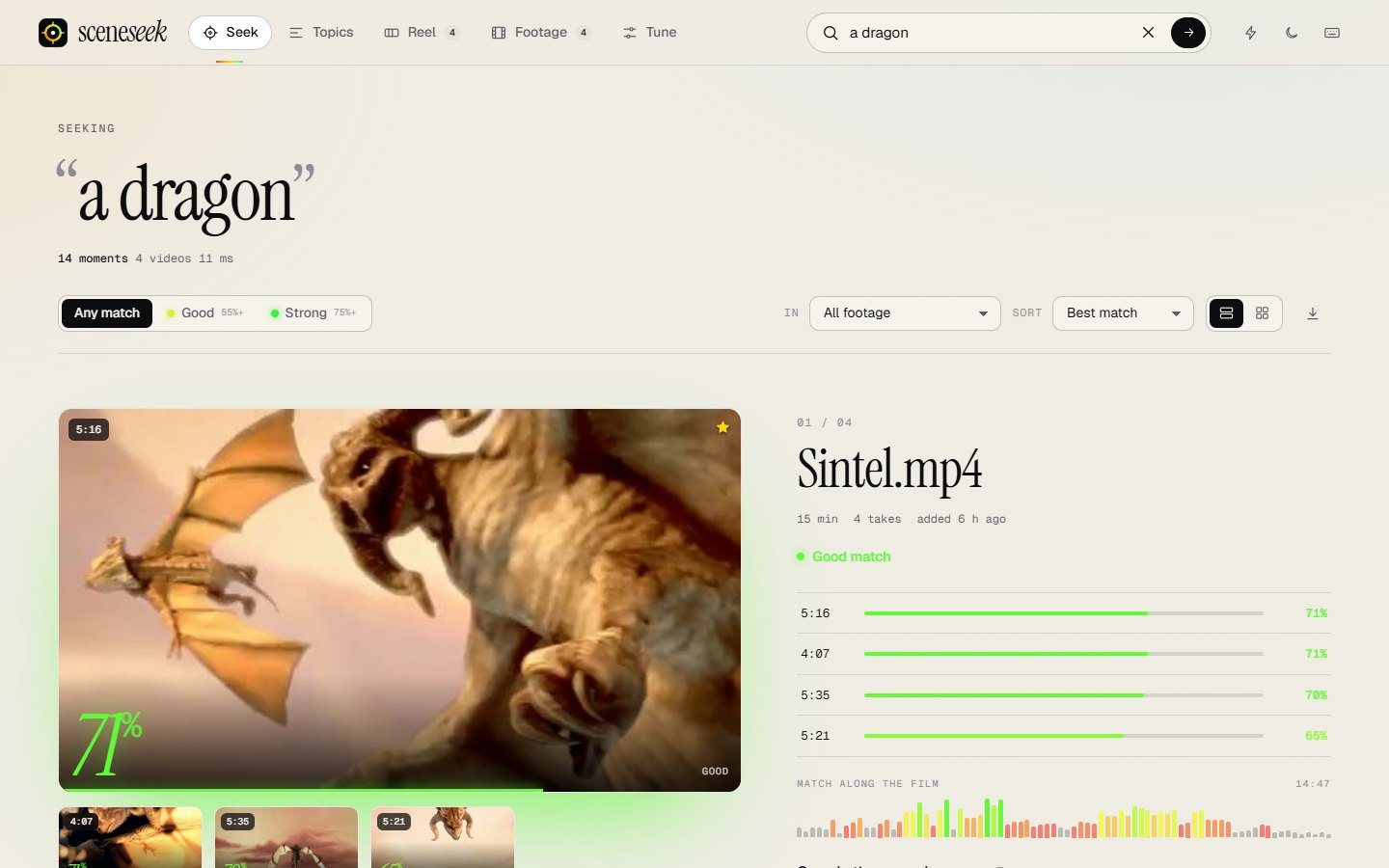
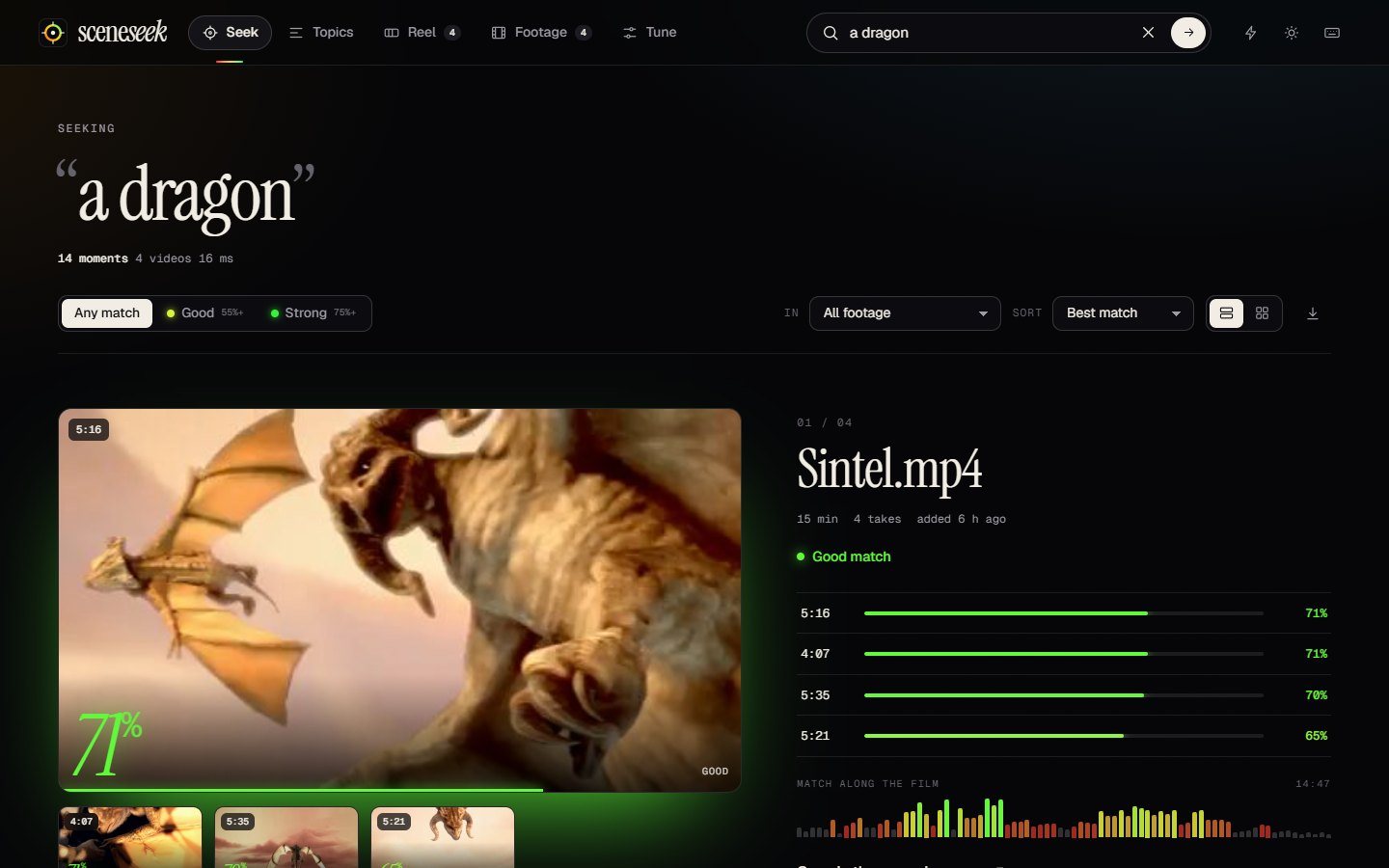
Sceneseek results for the search “a dragon”: a large frame with a green 71 percent match and a table of the best moments
71% good match5:16 in the film100% on your computer

Colour is information

Every match wears its number.

Red is a long shot. Green is very likely. The colour runs along one scale from weak to strong, so you can read a page of results at a glance. Drag the dial to see how Sceneseek words it.

The percentage compares a frame with your words against the rest of your footage. It is a guide, not a guarantee.

72%
Good match
Long shotMaybeGoodStrong

What it does

Built for people who have more footage than time.

01 / SEEK

Type a scene. Get the second.

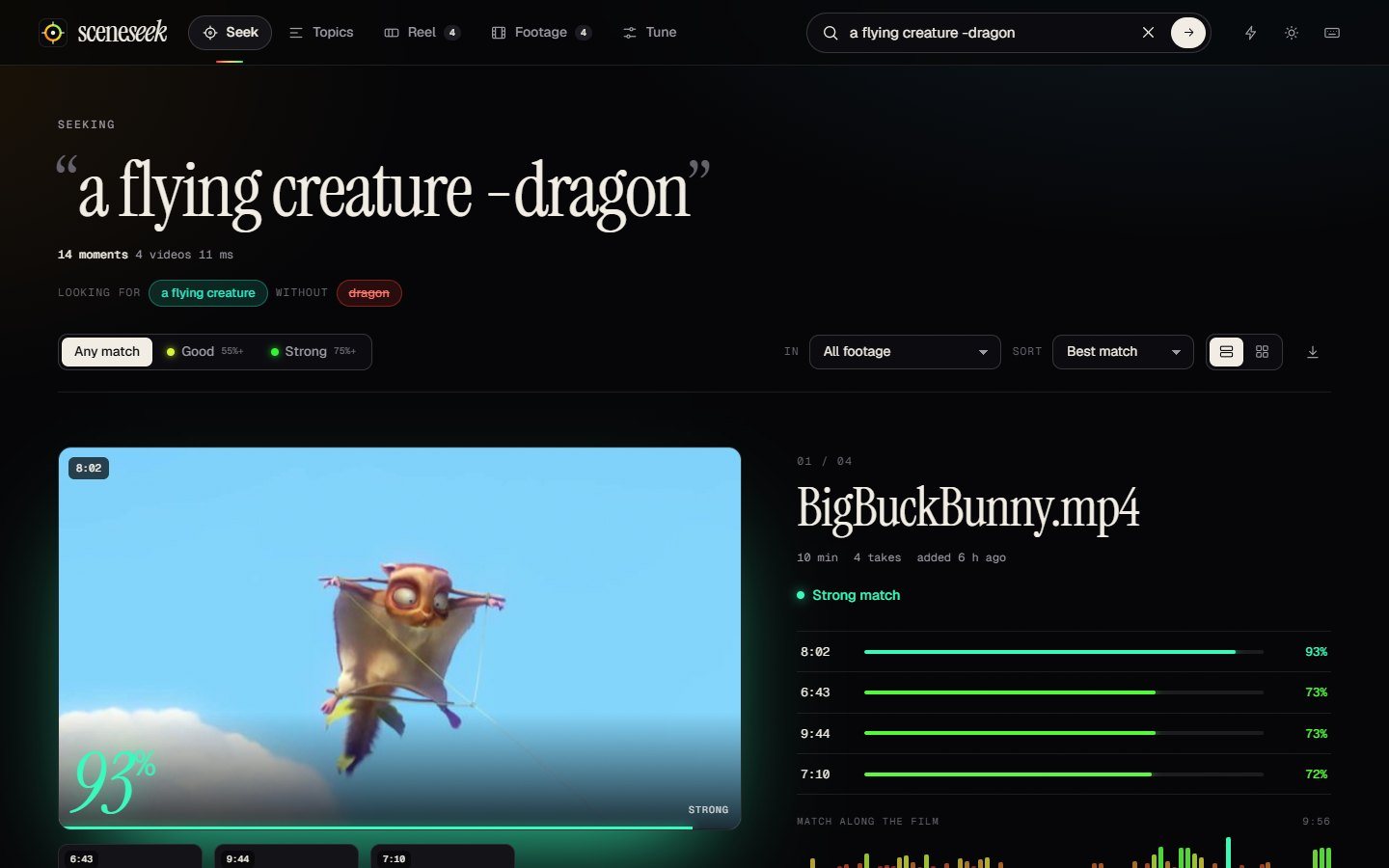
Plain English works. Scenes, objects, colours, places and actions are all fair game, and results appear as you type. Or speak it, or drop in a picture.

  • Power search. dog + snow wants both. beach -night leaves night shots out.
  • Search by voice or image. Press the mic, paste a screenshot, or hit Find similar on any frame.
  • Hover to preview. Point at a frame and watch it silently before opening.
POWER SEARCH
Results for “a flying creature -dragon”, with dragon scenes excluded
02 / WATCH

The screening room.

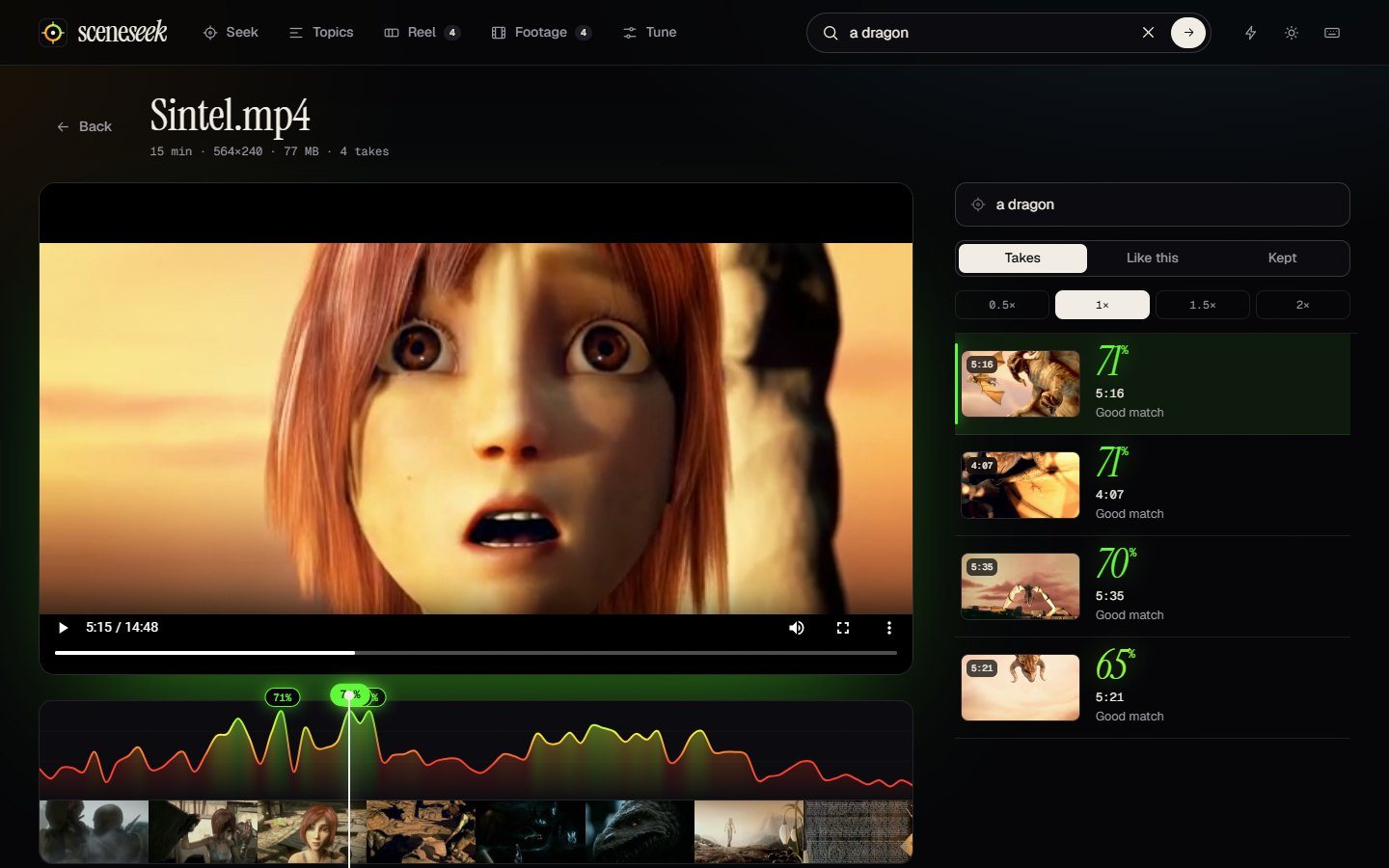
A curve shows how strongly every moment of the film matches, drawn above a strip of real frames. Flags mark each take. Click or drag to scrub, or step through takes with the keyboard.

  • Search inside one video. Perfect for a long recording.
  • Keep the shots you need with one key, or save the full-resolution frame as a picture.
SCREENING ROOM
A video playing above a match curve and film strip, with a list of takes and their percentages
03 / TOPICS

It sorts your footage for you.

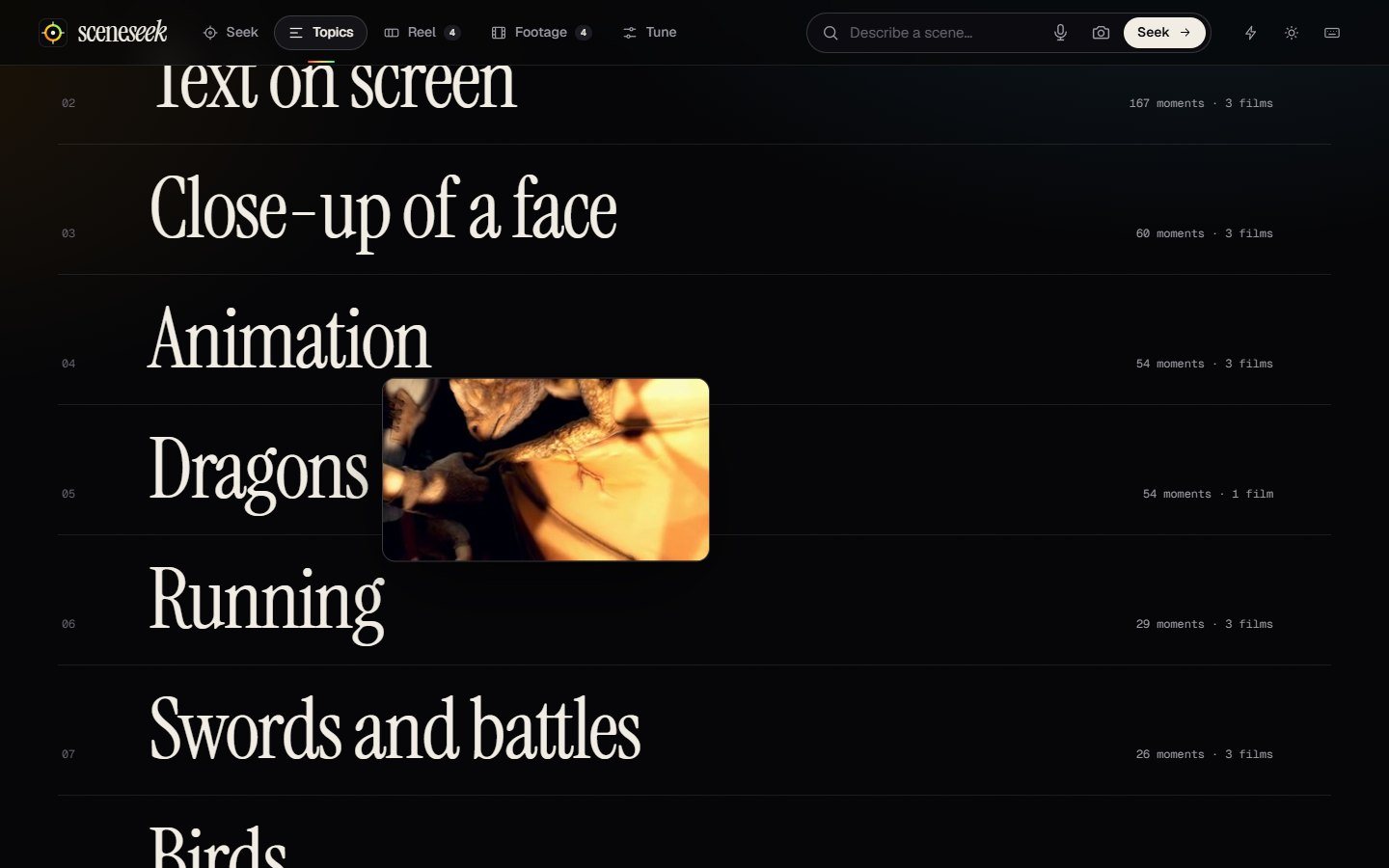
Without a single search, Sceneseek groups your videos into topics such as faces, animals, text on screen, swords and battles. Hover a topic and a frame follows your cursor.

TOPICS
A typographic index of topics with a frame preview following the cursor
04 / REEL

From search to timeline.

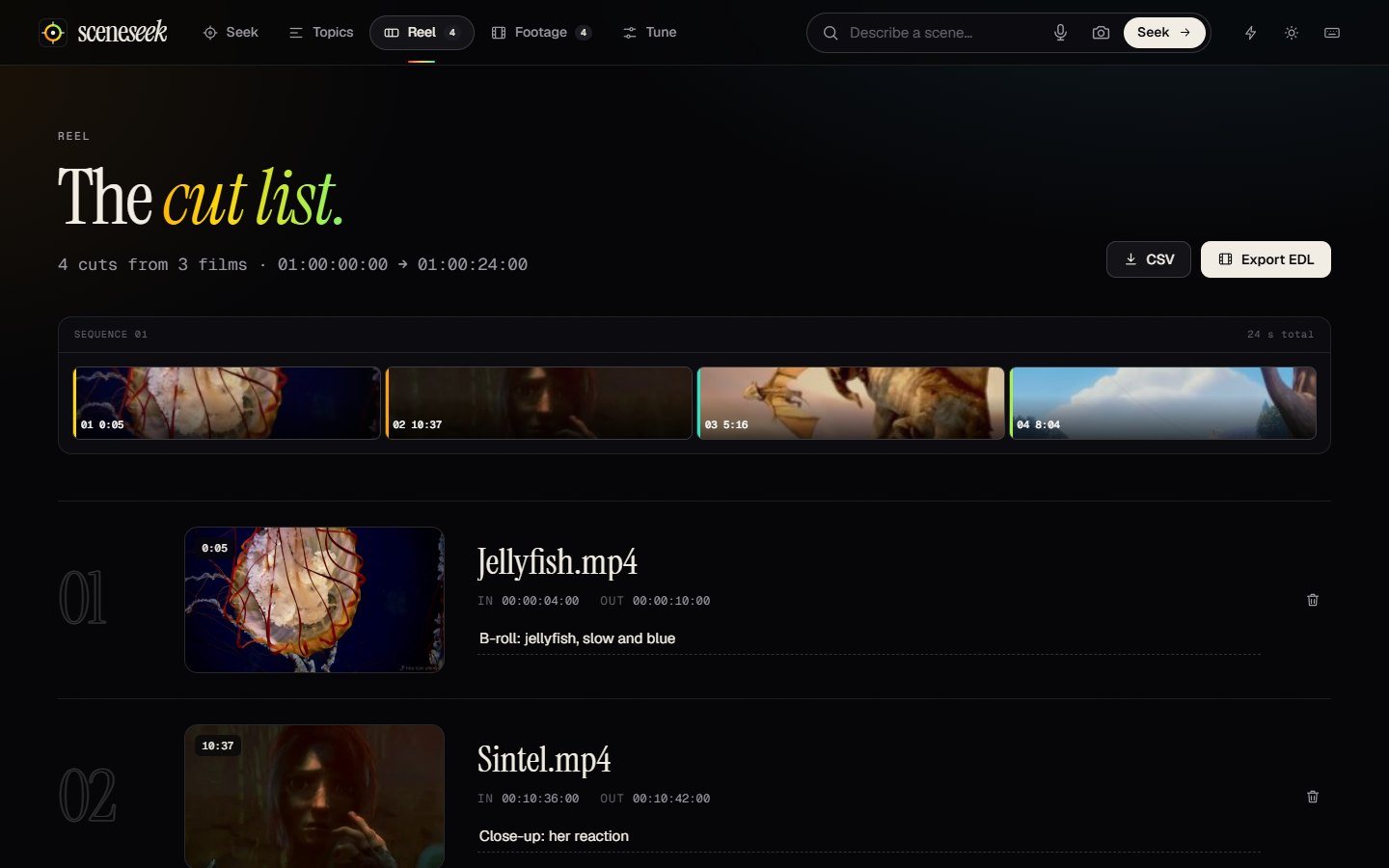
Every moment you keep becomes a numbered cut with in and out timecodes and a note. Export a standard edit list for Premiere Pro, DaVinci Resolve or Final Cut, or take a CSV.

  • CMX3600 EDL. Each moment is a six second cut starting on a 01:00:00:00 timeline.
REEL
A cut list with a sequence ribbon, numbered cuts, in and out timecodes and notes

Methodology

How it finds a moment without listening.

Sceneseek uses CLIP, an open model trained on images paired with their captions. It places a picture and a sentence in the same space, so a sentence and the frames that look like it end up close together. No tags, no transcripts.

Once, when you add a video
01 · Sample

Pick the frames

One frame every second by default. Frames that look almost the same as the last one are skipped, so a static shot costs nothing.

02 · Embed

Read each frame

The CLIP image encoder (ViT-B/16, run with ONNX Runtime on your CPU) turns each frame into 512 numbers describing what it shows.

03 · Store

Keep only numbers

The vectors go into a small database on your disk, about 1 KB per moment. Your video is never copied or changed.

04 · Wait

That is all

Indexing runs in the background and you can search finished videos meanwhile. It is paid once per video.

Every time you search
01 · Parse

Understand the query

“dog + snow” becomes two requests that must both match. “-night” becomes something to steer away from.

02 · Embed

Read your words

The CLIP text encoder turns your sentence into the same kind of 512 numbers. Voice input becomes text first.

03 · Compare

Rank by similarity

Your words are compared with every stored frame in memory. Even tens of hours of footage answer in milliseconds.

04 · Show

Colour the result

Raw similarity is mapped onto a 0 to 100 scale, grouped by video, and drawn as colour-coded frames and a match curve.

~1 KBof index per indexed moment. An hour of footage stays far below a gigabyte, thumbnails included.
0 bytesof your footage leave your computer. The server listens on 127.0.0.1 only and checks every request.
2 modelsto choose from. Fast (int8, about 150 MB) or Best (full precision, about 600 MB), downloaded once.

It is good at

  • Scenes, objects, colours, places and actions
  • Text on screen, faces in close-up, animals, vehicles
  • Finding “something like this” from a picture

It cannot

  • Hear speech. It does not transcribe audio.
  • Recognise a specific person by name
  • Promise a percentage means a correct answer. It is a ranking, not a probability.

Privacy

Your footage never leaves.

There is no account, no cloud and no analytics. The AI runs where your videos already are.

  • Videos uploadednever
  • Account or sign-innone
  • Usage trackingnone
  • Works with Wi-Fi offyes, after setup
  • One-time model download150 MB
  • Voice searchuses your browser’s speech service

Everything else

Details that add up.

Instant results

Results update as you type, and your last searches are remembered.

Match heat strips

Every video shows where along its length it matches, so you can jump straight to the best part.

Watched folders

Add a folder once and new videos are picked up automatically. Drag and drop works anywhere.

Frame grab

Save the full-resolution frame of any moment as a picture, ready for a thumbnail or a slide.

Command palette

Ctrl K jumps to any video, topic, page or command. Every action has a shortcut.

Light and dark

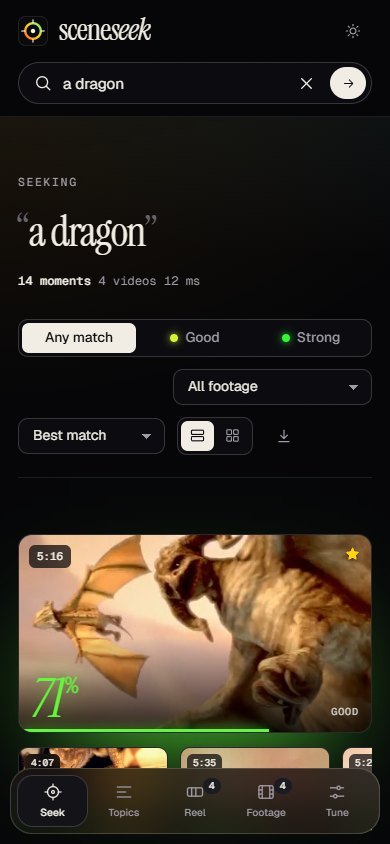
A dark edit-bay theme and a paper theme for daylight. Both scale down to a narrow window.

PAPER THEME
Sceneseek in its light paper theme showing dragon results
Sceneseek on a narrow screen with a bottom tab bar

Download

Get Sceneseek for Windows.

Run the installer, then add a folder. The first launch downloads the search model once. After that it works fully offline.

Windows 10 / 1164-bit8 GB RAMrecommendedNo GPUneeded
Windows shows a warning when I open it

Sceneseek is new and not code-signed yet, so Windows SmartScreen may say it does not recognise the app. Choose More info, then Run anyway. You can check the download against the published checksum first.

Verify the download

The SHA-256 checksum is published next to the installer on the release page. In PowerShell, Get-FileHash Sceneseek-Setup.exe should print the same value. A portable zip, with no installer, is on the same page.

macOS, Linux, or build it yourself

The app is plain Python. With Python 3.10 or newer, run pip install -r requirements.txt and python main.py. Full steps are in the README.

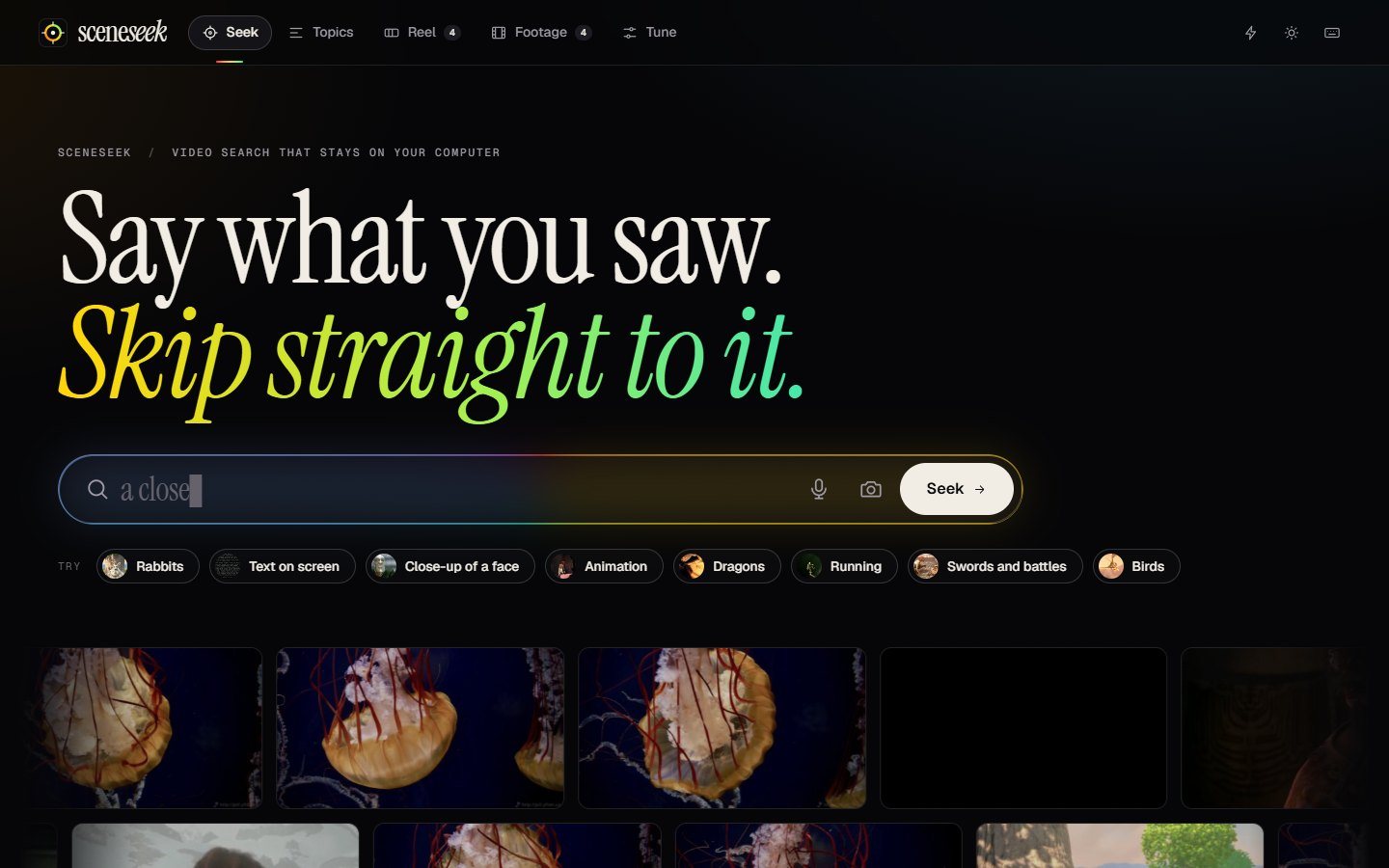
HOME
The Sceneseek home screen with its large search box and rows of frames from the user’s own videos

Questions

Good to know before you start.

Is it really free?

Yes. Sceneseek is free and open source under the MIT licence. There is no account, subscription or ads.

Are my videos uploaded anywhere?

No. Indexing and searching happen on your computer, and the app only answers requests from your own machine. The one download is the search model, the first time you start it. The exception is voice search, which uses your browser’s speech service and may send what you say to it. You can ignore the mic and type.

What can it find, and what can't it?

It matches what things look like: scenes, objects, colours, places and actions. It does not listen to speech, so it cannot search a transcript, and it does not know people by name.

How accurate are the percentages?

They show how closely a frame matches your words compared with the rest of your footage, not a guarantee. Treat green as “very likely”, amber as “worth a look”, and red as a long shot.

How long does indexing take?

It depends on your processor. On our test PC a 10 minute video took about a minute and a half, so an hour of footage takes around ten minutes. It runs in the background, and you can search finished videos while it works.

Which video formats work?

MP4, MOV, MKV, AVI, WebM, WMV and others can be indexed and searched. The built-in player plays what your system supports. For anything else, open the file in your default player from the screening room.

Does the EDL work with my editor?

The export is a standard CMX3600 edit decision list, which Premiere Pro, DaVinci Resolve and Final Cut Pro can import. Each kept moment becomes a six second cut with your note attached.

Can I use it for work?

Yes, the MIT licence allows commercial use. The AI model is OpenAI’s open CLIP model, also MIT licensed.

Stop scrubbing. Start finding.